
You want people and vehicles to move through smoothly, and you also want to be able to look up later who entered where. The quickest win often isn’t extra hardware, but one upfront choice: are you mainly trying to reduce waiting time at the entry point, or are you mainly trying to see exactly who entered where after the fact? Once you’re clear on that, the solution helps you every day: less waiting at doors, less creeping through check-in at the gate, and logs that still make sense later.
At Nedap Identification Systems, it usually starts with your process: who goes where, at what times, and what you want to be able to trace afterward. Once that’s clear, the technology follows logically instead of you having to guess.
Start with your credential lifecycle (that’s where it usually goes wrong)
A solution only feels smooth if your credential lifecycle is tight: issuing, changing, blocking, and revoking. That keeps your administration clean and prevents cards, tags, or mobile permissions from floating around. It means less hassle for security, and it makes things calmer for reception or facilities because you get fewer exceptions and manual fixes.
At a minimum, document this and make sure it’s actually followed:
- – Who issues credentials and who is allowed to change permissions (based on name or role)
- – How quickly you can block access when needed (immediately or not until the next business day, depending on your setup)
- – Temporary permissions with a start date and end date, including who monitors that end date
- – What happens when someone leaves, or in case of loss or theft: which step comes first and where you record it
- – What you do outside office hours, so blocking and issuing don’t grind to a halt
Practical tip: this works best with clear internal roles and reliable reachability. If it’s messy right now, start with fewer permission variants and one way of working. You can expand later once you see which exceptions truly come up often.
Choose your primary goal
It works best if you pick one primary goal per location and let the solution optimize for that. At the perimeter, it often helps most if vehicles can keep rolling: recognize, open, through. Inside at doors and zones it helps more if the system can enforce rules per door, zone, and schedule. You’ll notice that difference immediately: at a door you want a short interaction; at a gate you mainly want to avoid an unnecessary stop.
A practical way to organize this:
Many internal zones (office, warehouse, server room): make access control the leading system, so permissions and schedules work centrally and consistently. Heavy traffic at a gate, barrier, or loading bay: make vehicle identification the leading system, so passage stays smooth. If both matter, pick one system as the source for identities and permissions, and connect the other to it via integration.
If you’re mainly optimizing for flow, make sure exceptions and logging are captured automatically, so you don’t end up creating extra control moments anyway. If you’re mainly optimizing for control, keep rules and exceptions simple enough to stick with in day-to-day operations. With lots of visitors and contractors, temporary permissions with a clear end date often help keep your administration up to date.
RFID, ANPR, or mobile
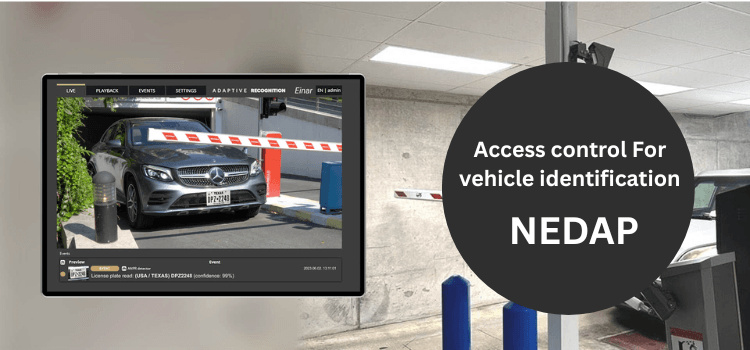
Your environment determines a lot: lighting, dirt, metal, distance, and how hands-free it needs to feel. For vehicle identification, you often end up with, for example, ANPR (license plate recognition) or RFID with tags and readers. At doors, you’ll see options like a card, badge, or mobile.
An on-site test makes this concrete quickly:
- – Recognition at a distance or only when stopped (depending on your choice)
- – How many times someone isn’t recognized before intervention is needed
- – What happens on a miss: alerting, follow-up, and still letting someone through without hassle
- – Whether the mounting location makes sense: not outside the natural walking line and not a setup that can easily shift
The more hands-free you make it, the more important exceptions and logging become. You want to be able to see afterward what happened at the moment someone says, “It almost worked,” so you can resolve it faster based on what actually happened.
Integration and management: keep permissions understandable
Integration and management work best if you keep things simple from the start, especially with connections to other systems, like HR for onboarding and offboarding, or parking management and security tooling. Centralized management often gives you more consistency. Decentralized management can feel faster locally. In both cases, it helps if roles and permissions remain recognizable, so it’s easy to adjust when someone changes roles or leaves the organization.
A safe route is to start small: a limited number of roles, fixed patterns for integrations, and only expand once it’s clear which exceptions truly recur. That keeps it manageable for administrators, and for users it feels predictable and smooth.






Leave a Reply